
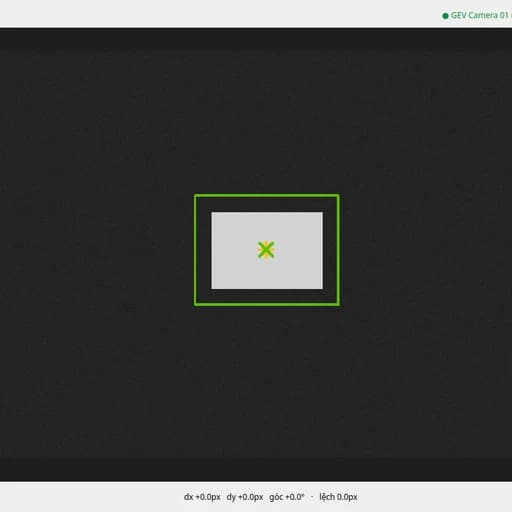
Vision Align
Check a part's position and rotation - no calibration needed.
Ba bước để chạy được
- 1. Tải gói .orx — tải tự do, không cần mua trước. Giải nén rồi chạy
./runGui.sh: gói tự kiểm chữ ký, đọc mã thiết bị của bạn và ghi raactivation-request.json. - 2. Mua giấy phép — giấy phép gắn với đúng thiết bị trong file yêu cầu ở bước 1.
- 3. Kích hoạt — tải
activation.jsonvề, đặt cạnh gói, chạy lại là xong. Sau đó chạy offline vĩnh viễn, không cần mạng.
Tải gói mà chưa mua thì chạy được đến bước xin kích hoạt rồi dừng — dùng để xem trước gói thật và kiểm tra máy có đọc được thiết bị không, trước khi trả tiền.
Checks whether a part is in the same position and rotation as when it was taught. Reports a relative offset in pixels/degrees, not real-world units, so there is no calibration step. Fits a rectangle, circle, or free contour around the part with an automatic (Otsu) threshold, then tracks the centre and angle against the taught reference.
Requires
· GigE Vision camera
· Gigabit network port
Features
· No calibration - measures offset relative to the taught position only
· Rectangle, circle, or free-contour fit, whichever matches the part
· Automatic Otsu threshold separates part from background
· Tolerance set by showing the part at its worst acceptable position
· Shares its camera/UI base with Vision Measure